If you have a WordPress website and are wondering what SEO is, the simple answer is that it is the process of making your website easier to find in search engines. It is not just installing a plugin or repeating keywords. It combines useful content, a clear structure, technical optimization, authority and ongoing monitoring.
This guide explains what SEO means, how it works, what optimization includes and which areas to check first when you want more organic traffic for your website.
A quick explanation
SEO stands for Search Engine Optimization. It is the process of improving a website for search engines so that its important pages are easier to discover, index and show in organic results for relevant searches.
For a WordPress website, this includes useful content, a clear structure, on-page optimization, technical SEO, internal links, good loading performance and measurement of results.
What is SEO?
Search Engine Optimization means improving a website so that its pages can be discovered, understood, indexed and presented in organic results on Google or other search engines.
Organic results appear without paying directly for each click, unlike advertising campaigns. SEO does not guarantee fixed positions or deliver results overnight. Done well, however, it can help build more stable visibility over the longer term.
The central aim is to make the site a better answer to user intent and easier for both people and search engines to understand.
Why does SEO matter for a website?
People use search engines to find information, products, services and solutions. If your site does not appear for searches relevant to its subject, it misses opportunities for traffic, visibility and potential customers.
- Greater online visibility: Optimized pages have a better opportunity to appear for relevant searches.
- Organic visitors: People arrive because they actively searched for a topic, product or service.
- Stronger authority: A well-organized website with useful information and relevant links can become a more credible resource.
- A better user experience: Speed, clear navigation and well-structured content help visitors as well as search engines.
- Support for conversions: Relevant visits are more likely to lead to inquiries, orders, subscriptions or other useful actions.
On WordPress, problems often arise from relatively simple settings: pages that are not indexed, weak heading structure, oversized images, duplicate content, missing descriptions or incorrectly configured plugins.
How does SEO work?
Search engines aim to provide relevant results for each query. They discover pages, analyze their content, index them and order the results using signals related to relevance, quality, authority and the experience offered to users.
1. Discovering pages
Google and other search engines find pages through links, XML sitemaps and other signals. A page that is difficult to discover can struggle for visibility even if its writing is useful.
2. Indexing content
After discovering a page, a search engine tries to understand it and include it in its index. HTML structure, content, titles, internal links and the absence of technical barriers all contribute to this process.
3. Ranking results
Ranking is the process of deciding the order of search results. A page may perform better when it clearly answers the search intent, provides useful information, loads well, follows a coherent structure and earns credible external signals.
What does SEO optimization include?
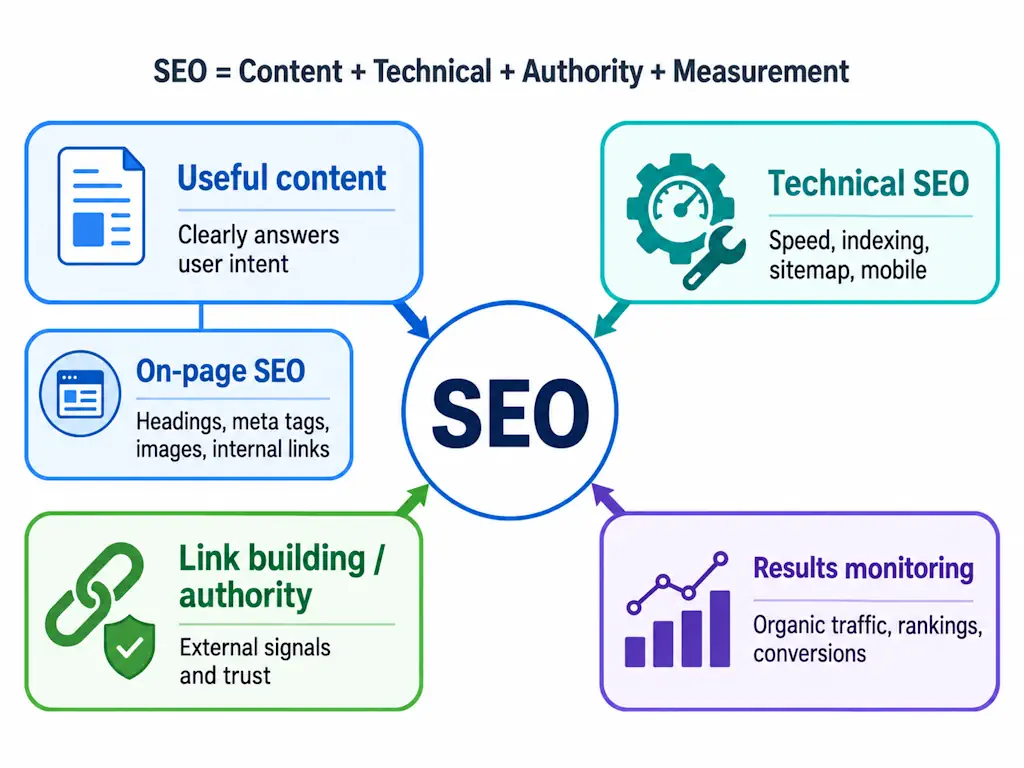
SEO is not a single action. It is a combination of keyword research, content, on-page improvements, technical work, link building and measurement.
| SEO component | Meaning | Practical examples |
|---|---|---|
| On-page SEO | Improving elements within the page | Titles, subheadings, title tags, meta descriptions, URLs, images and internal links |
| Technical SEO | Work supporting indexing and performance | Sitemaps, robots.txt, speed, mobile usability, 404 errors and HTTPS |
| Off-page SEO | External signals that support authority | Backlinks, mentions, link building and relevant collaborations |
| SEO content | Information created to meet user intent | Guides, articles, service pages, FAQs and clear answers |
Keywords
Keywords are the terms and phrases people use when searching. They help you understand which topics your content should address and what a searcher is trying to accomplish.
They should not be repeated mechanically. A useful article includes important terms naturally and answers the question thoroughly. For a query such as “what is SEO?”, that includes related ideas such as organic traffic, on-page work, technical SEO, link building, audits and strategy.
On-page SEO
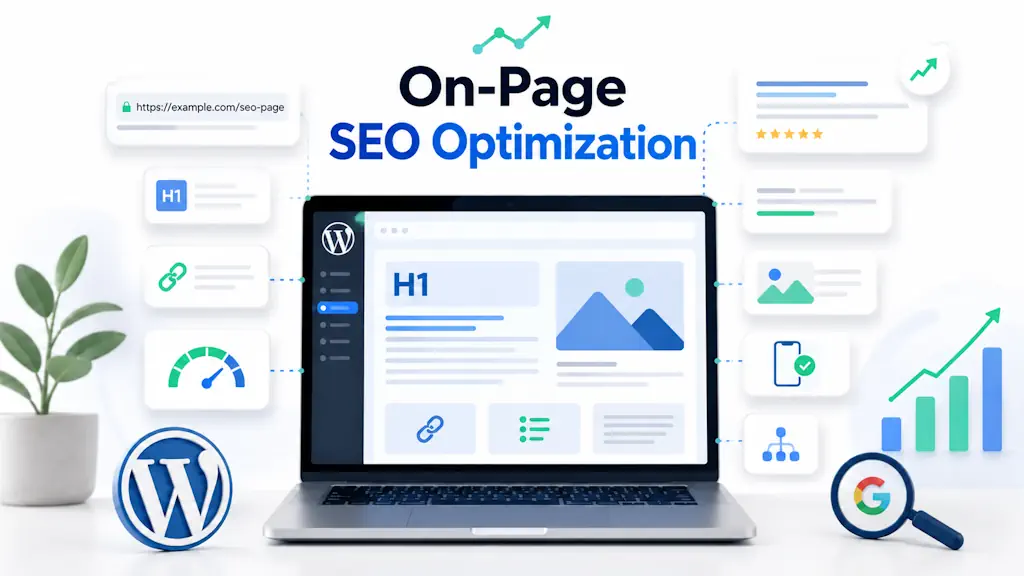
On-page SEO covers changes made directly within the page. These include the main heading, H2 and H3 headings, text structure, title tag, meta description, images, internal links and the clarity of the content.
The on-page SEO optimization guide explores these internal elements in more detail.
Off-page SEO and link building
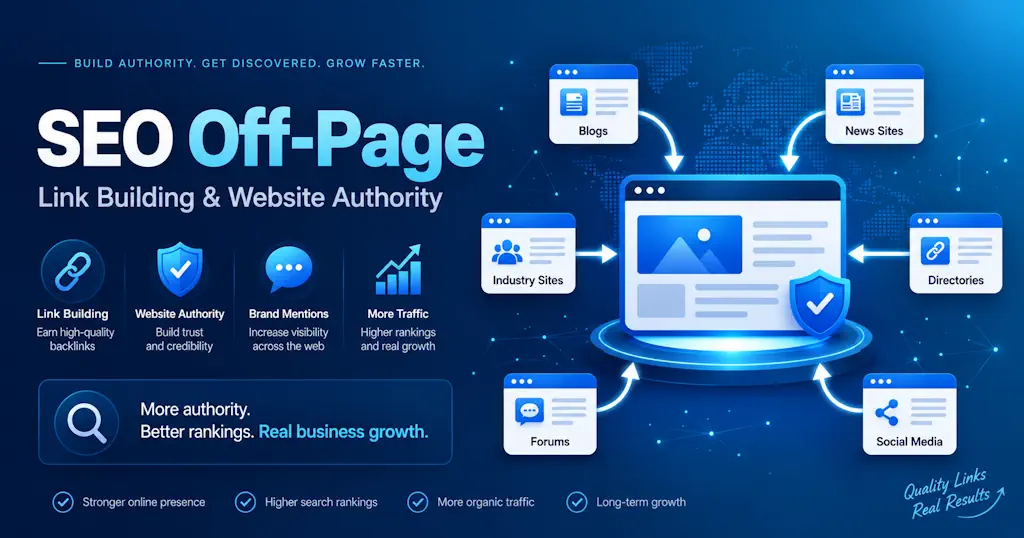
Off-page SEO involves activity beyond your website that can support its authority. The best-known example is link building: earning backlinks from relevant, credible websites.
Do not treat backlinks as a number alone. Their relevance, the quality of the source, their context and the natural shape of the overall profile matter. A backlink analysis tool can provide an initial view of which sites link to yours.
Technical SEO
Technical SEO helps search engines access, understand and index a website. It is particularly relevant to WordPress because problems can arise from themes, plugins, caching settings, large images or configuration mistakes.
- Check that the website is indexable.
- Provide a correct XML sitemap.
- Resolve important 404 errors.
- Improve loading speed.
- Ensure mobile usability.
- Use HTTPS.
- Review URL structure.
WordPress SEO: what should you check first?
WordPress can provide a good SEO foundation when configured carefully. Installing an SEO plugin is not enough by itself. The plugin helps set certain elements; it does not write the content, automatically resolve performance issues or create a complete strategy.
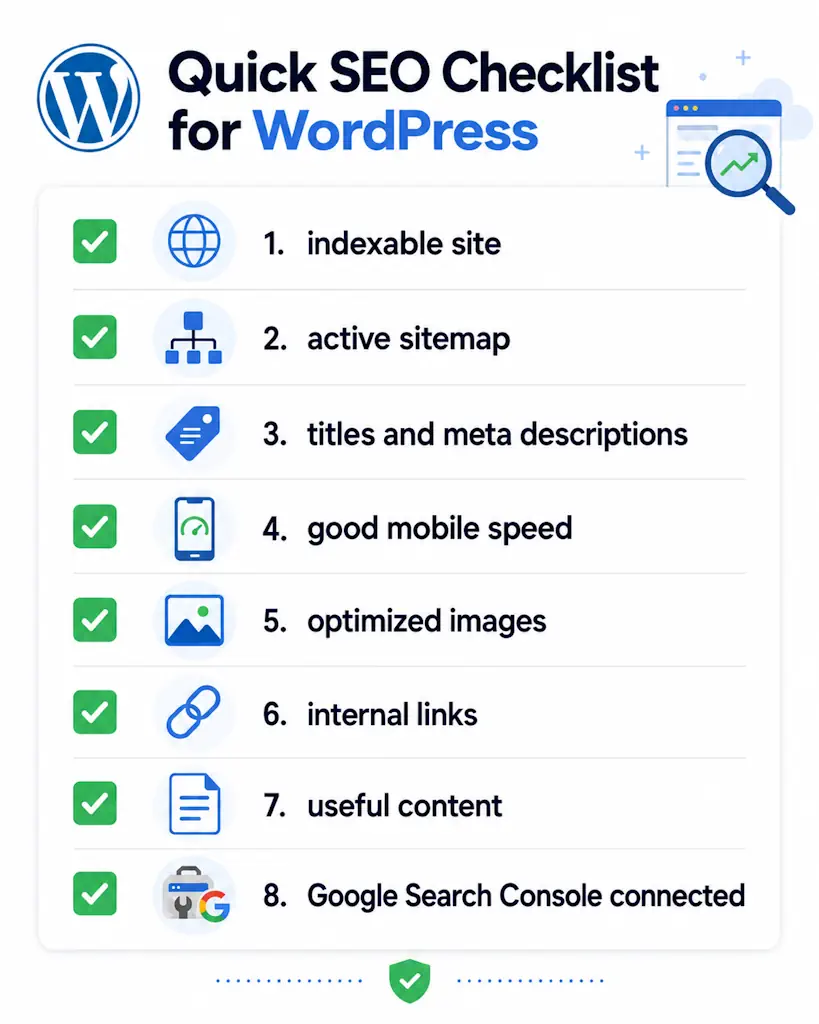
A quick WordPress SEO checklist:
- The homepage and other important pages are indexable.
- A working XML sitemap is available.
- Each important page has one H1.
- Titles and meta descriptions are clear and relevant.
- Images are compressed and have useful alternative text.
- The site loads quickly on mobile.
- Articles and important pages are connected with internal links.
- The content answers the search intent.
- No important page is blocked accidentally.
- Results are monitored in Google Search Console.
Many SEO problems come from unclear structure rather than a lack of content. A website may contain useful articles, but organic performance can still be limited when pages are disconnected, slow or not indexed correctly.
How to approach SEO step by step
SEO becomes more manageable when treated as a process. You do not need to improve everything at once, but you do need a sensible order of work.
- Begin with an SEO audit. Review technical problems, content, indexing, structure and internal links.
- Choose suitable keywords. Focus on relevant searches rather than volume alone.
- Analyze intent. Determine whether the person wants information, a comparison, a product, a service or a way to contact a business.
- Improve important pages. Work on titles, headings, content, images, internal links and descriptions.
- Create useful content. Publish pages and articles that clearly answer real questions.
- Build authority. Earn relevant links and natural mentions from suitable sources.
- Measure results. Monitor organic traffic, search positions, indexing and conversions.
A clear starting assessment helps connect website optimization, ongoing administration and growth. It also gives you a way to choose the work that matches the actual condition of the site.
How can you tell whether SEO is working?
Measure SEO through useful outcomes rather than impressions alone. A stronger strategy is not simply about more Google positions; it should attract relevant traffic and support meaningful actions on the website.
- Organic traffic: How many people arrive from search engines.
- Indexed pages: Whether important pages appear in Google's index.
- Keyword positions: How pages perform for relevant queries over time.
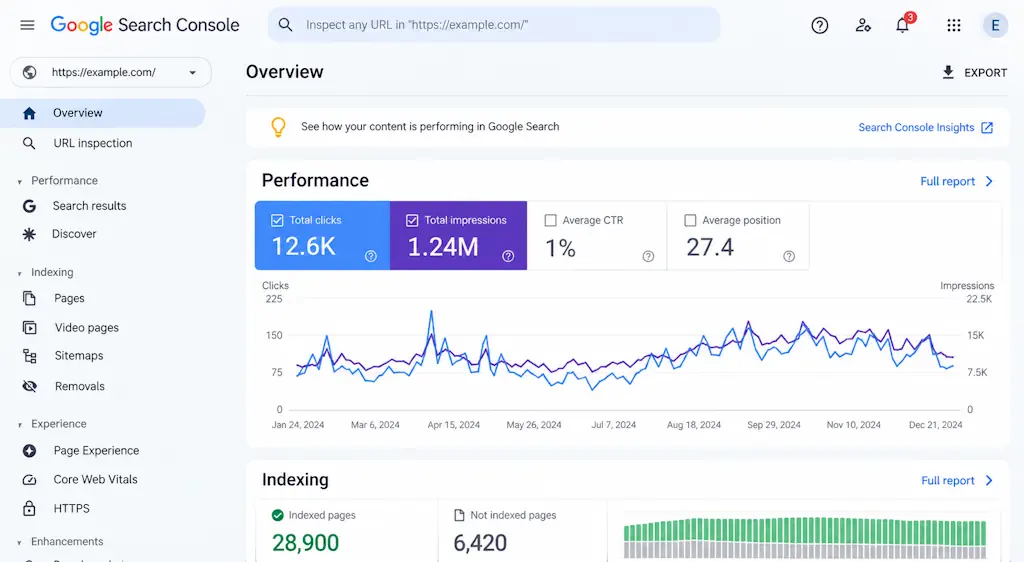
- Clicks and impressions: Search-performance data available in Google Search Console.
- Conversions: Inquiries, form submissions, orders or other important actions.
- Traffic quality: Whether visitors read, interact and reach the pages that matter.
Look at change over time. Results can be influenced by competitors, content, authority, technical changes and evolving user behavior, so ongoing observation is more useful than a single snapshot.
How much does SEO cost?
SEO costs can vary considerably. A meaningful estimate depends on more than the number of pages or one target keyword. A small, well-organized site has different needs from a large online store with many categories, technical problems and strong competition.
| Factor | How it affects the work |
|---|---|
| The site's technical condition | A site with many errors needs more initial remediation. |
| Competition | Competitive topics require stronger content and authority. |
| Number of pages | More pages create more material to analyze and optimize. |
| Existing content quality | Weak or duplicate content may need improvement or rewriting. |
| Business objectives | A focused local goal differs from a national or ecommerce strategy. |
An audit is therefore a useful first step. It identifies existing problems, practical opportunities and the actions that should take priority.
Which SEO mistakes should you avoid?
Underperformance can result from incomplete or poorly implemented optimization. Common mistakes include:
- Repeating keywords excessively.
- Publishing generic content without clear answers.
- Ignoring technical SEO.
- Using large, unoptimized images.
- Omitting internal links.
- Obtaining backlinks from unrelated sources.
- Neglecting mobile loading speed.
- Failing to monitor Google Search Console.
- Expecting immediate results.
A useful strategy begins with a practical question: what is the user searching for, and which page on the site best answers that search?
Conclusion: getting started with SEO
SEO is a continuing process rather than an isolated task. It brings together useful content, clear organization, technical quality, internal links, authority and measurement.
For a WordPress site, a useful starting point is an audit showing what works, what blocks progress and which pages deserve attention first. Without that assessment, it is easy to spend time on assumptions and changes with little practical impact.
Build a clearer strategy by evaluating the website accurately and prioritizing pages that can attract relevant organic visitors.
Frequently asked questions about SEO
What is SEO?
SEO is the process of optimizing a website for search engines. Its purpose is to make important pages easier to discover, index and display in organic results for relevant queries.
What does Search Engine Optimization mean?
Search Engine Optimization is the full form of SEO. It describes the work that makes a website clearer, more relevant and more accessible to search engines and their users.
What does SEO optimization include?
It includes keyword research, content, on-page SEO, technical SEO, off-page SEO, link building and monitoring. These areas work together to make the website more relevant and easier to understand.
Can I handle WordPress SEO myself?
You can make basic improvements to titles, descriptions, content, images and internal links yourself. Specialist help may be useful for technical problems, strategy, audits or highly competitive topics.
How long does SEO take to show results?
SEO develops gradually. Results depend on the site's condition, competition, content quality, authority and consistency of the work. That is why ongoing measurement matters as much as the initial changes.
What is an SEO audit?
An SEO audit examines technical issues, content, indexing, structure and organic visibility. It helps establish priorities and shape a clearer strategy.
Is SEO better than paid advertising?
They have different roles. SEO builds organic visibility over time, while advertising can generate visits quickly while the campaign has a budget. In many cases, they can work together.
To understand what is limiting a WordPress site's search growth, begin by identifying the technical, content and structural issues that deserve attention. That creates a foundation for a strategy based on evidence rather than guesswork. Hostnary's WordPress SEO & GEO service connects that review with ongoing implementation.