If you run a WordPress website and want more visibility in Google, on-page SEO is one of the first areas to review. It is not simply a matter of adding a keyword to a title. It concerns how a page is structured, written, indexed, linked internally and understood by search engines.
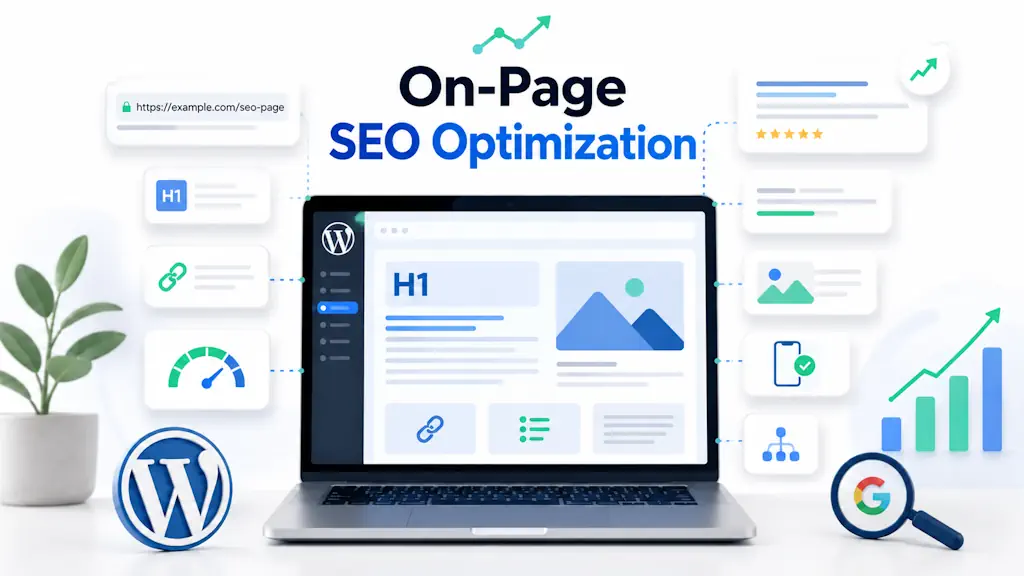
On-page SEO includes content, headings, title tags, meta descriptions, URLs, images, internal links, loading speed, mobile experience and structured data. For a WordPress site, these details can make the difference between a page that is merely published and one with a realistic opportunity to attract organic visitors.
This guide explains what on-page optimization involves, which elements matter, what mistakes to avoid and how to prepare content for Google Search as well as AI Search, AI Overviews, ChatGPT, Gemini and Perplexity.
A well-structured website is also easier to maintain. Optimization, ongoing care and organic growth work best when the underlying site is organized clearly.
What does on-page SEO mean?
On-page SEO means improving a page's elements so that users, Google and AI-based systems can understand the content more easily. It covers titles, meta descriptions, URLs, heading structure, useful content, internal links, optimized images, speed, indexing and schema markup.
What is on-page SEO optimization?
On-page optimization is the process of improving the elements within a page and the website's structure. Its purpose is to make the page a better answer to the user's intent, easier to read and clearer for search engines to interpret.
You have direct control over most of this work: the text, titles, structure, internal links, URL, images, metadata, performance, structured data and indexing settings. That makes on-page SEO a foundation for a sound search strategy.
For WordPress owners, many problems arise at page level: overly long titles, missing descriptions, disorganized headings, thin content, unoptimized images, too few internal links or accidental indexing blocks.
On-page SEO versus off-page SEO
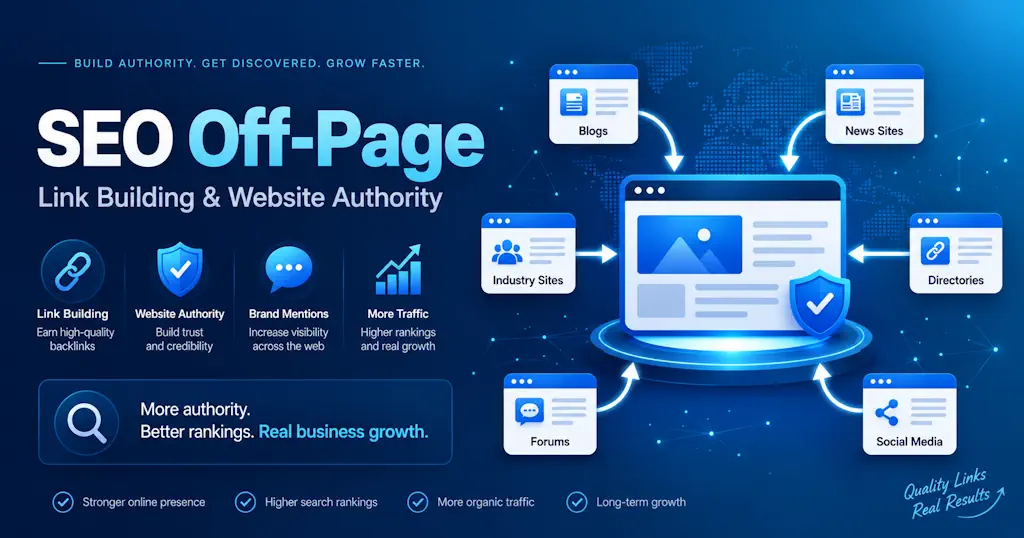
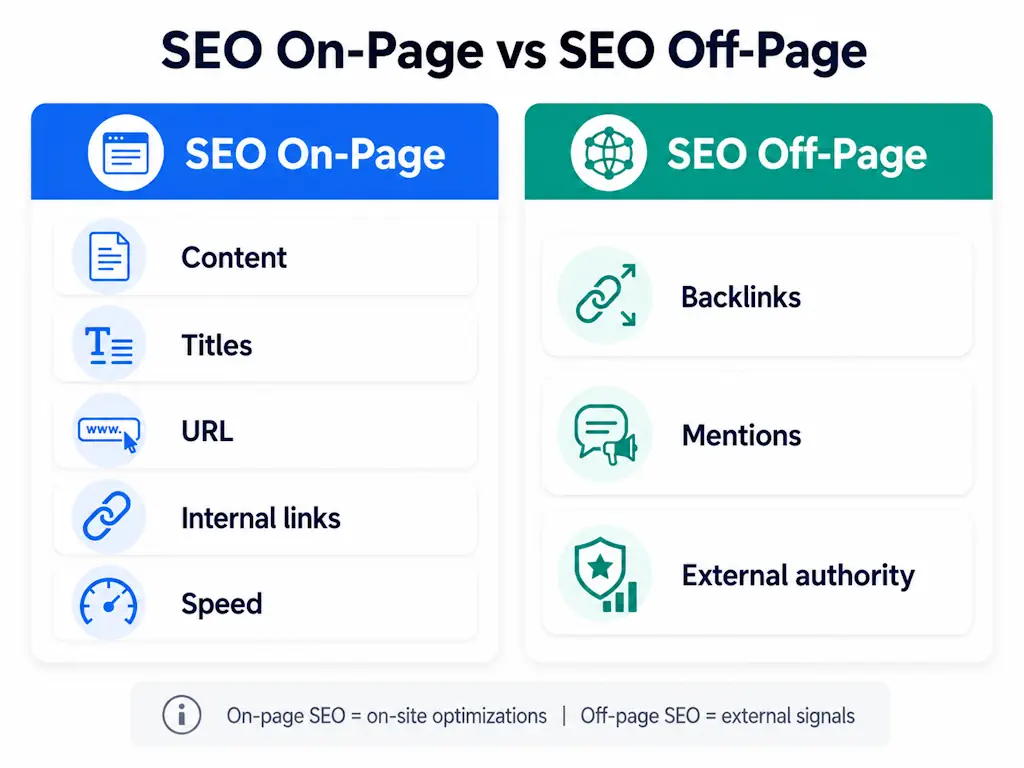
On-page and off-page SEO support each other but cover different areas. On-page work improves the website itself. Off-page work deals with external signals such as backlinks, brand mentions and authority earned from other sources.
| Area | What it includes | Examples | Direct control |
|---|---|---|---|
| On-page SEO | Page and website elements | H1, title tag, content, URL, internal links, speed and schema | Yes |
| Off-page SEO | External signals | Backlinks, mentions, PR and external authority | Partial |
Both matter. Even a carefully optimized page may need external authority to compete for difficult terms. For an initial look at that side of the work, see the source-based overview of WebHub's backlink analysis tool.
The main elements of on-page SEO
A properly optimized page does not depend on a single factor. The result comes from combining keywords, structure, content, metadata, URLs, images, internal links, performance and a good user experience.
Keywords and search intent
The first step is understanding the searcher's intent. Choosing a high-volume keyword is not enough. You need to know whether the person wants a definition, a guide, a comparison, a sequence of steps, a recommendation or a commercial solution.
For example, “on-page SEO optimization” is mainly an informational query. Someone searching for it wants to understand the concept, identify the elements to improve and learn how to apply the recommendations to a web page.
Use the main keyword naturally in the H1, introduction, title tag, a suitable URL, relevant H2 or H3 headings and body copy. Avoid keyword stuffing: forced repetition intended only to increase keyword density.
Title tags and meta descriptions
The title tag is the page's SEO title and helps clarify its appearance in Google. It should include the main topic or a close variation, be easy to understand and accurately reflect the actual content.
The meta description summarizes the page. Write it for the reader as well as for search presentation. A useful description quickly explains what someone will find and why the page is worth opening.
For this topic, a suitable title could be On-Page SEO Optimization: A Complete WordPress Guide. A corresponding description could be Learn what on-page SEO involves, which elements matter and how to review a WordPress page with a practical checklist.
Search-friendly URLs
A good URL is short, descriptive and readable. For this subject, example.com/on-page-seo-optimization/ is clearer than example.com/?p=123 or an address padded with unnecessary words.
WordPress lets you control URL structure through permalink settings. For important pages and articles, use clear addresses without unnecessary dates or complicated characters, and avoid changing them repeatedly after publication.
H1, H2 and heading structure
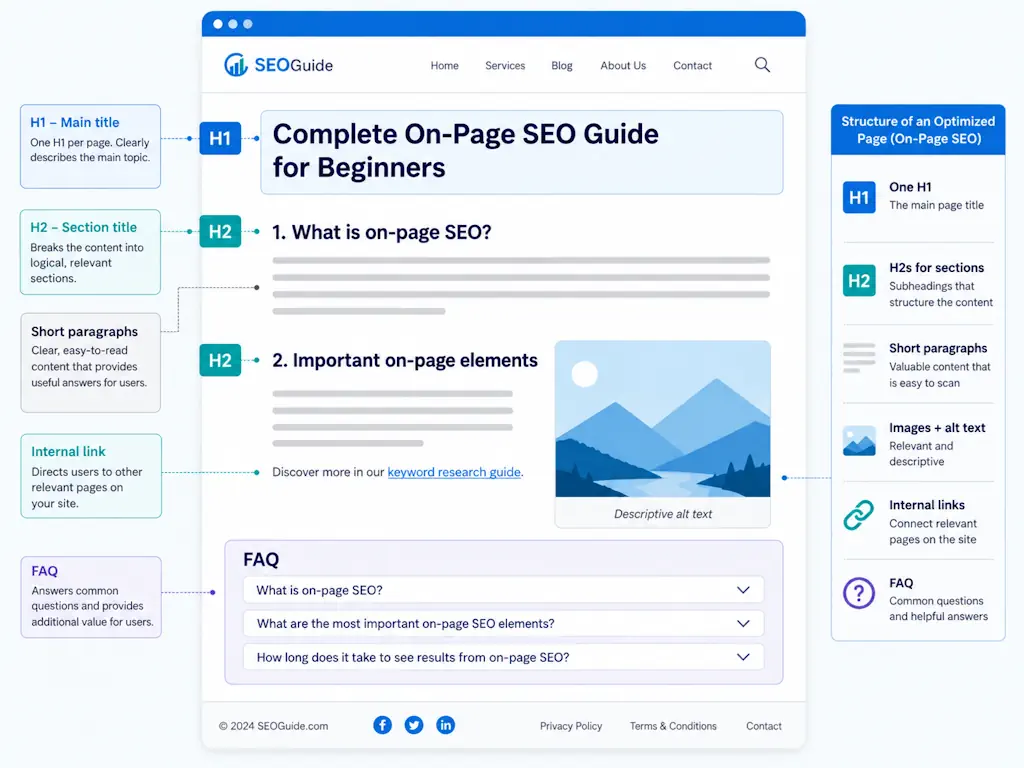
Headings help visitors and search engines understand the page. The H1 should identify the main subject and appear once. H2 headings divide the article into its principal sections; H3 headings develop the topics within those sections.
A useful heading hierarchy makes content easier to scan on a phone, clarifies the subject and can make individual answers easier for AI systems to extract.
Useful, well-structured content
Content is central to on-page SEO. A good page answers the user's question clearly, covers the subject sufficiently and provides examples, explanations or practical steps.
Avoid text written simply to fill space. Clear, current, organized information that matches search intent is more useful to readers. Short paragraphs, lists, tables and direct answers beneath descriptive headings also make the material easier to work with in AI Search.
Optimized images
Images can improve a page but can also slow it down if they are poorly prepared. Use compressed files, suitable dimensions and modern formats such as WebP. Informative images should have descriptive alternative text.
Alt text should not be packed with keywords. Its purpose is to describe the image naturally and support accessibility and understanding of the visual content.
Technical on-page checks for WordPress
Our Yoast SEO Premium resource describes redirect and internal-link tools that can support this work.
Optimization does not end with the writing. A well-written page can still have technical problems that limit visibility: indexing blocks, an incorrect canonical, slow loading, resource errors or a poor mobile experience.
Crawling and indexing
Crawling is how search engines discover pages. Indexing is how a page becomes part of a search engine's index. A page that cannot be accessed or has been blocked accidentally has a much lower chance of appearing in results.
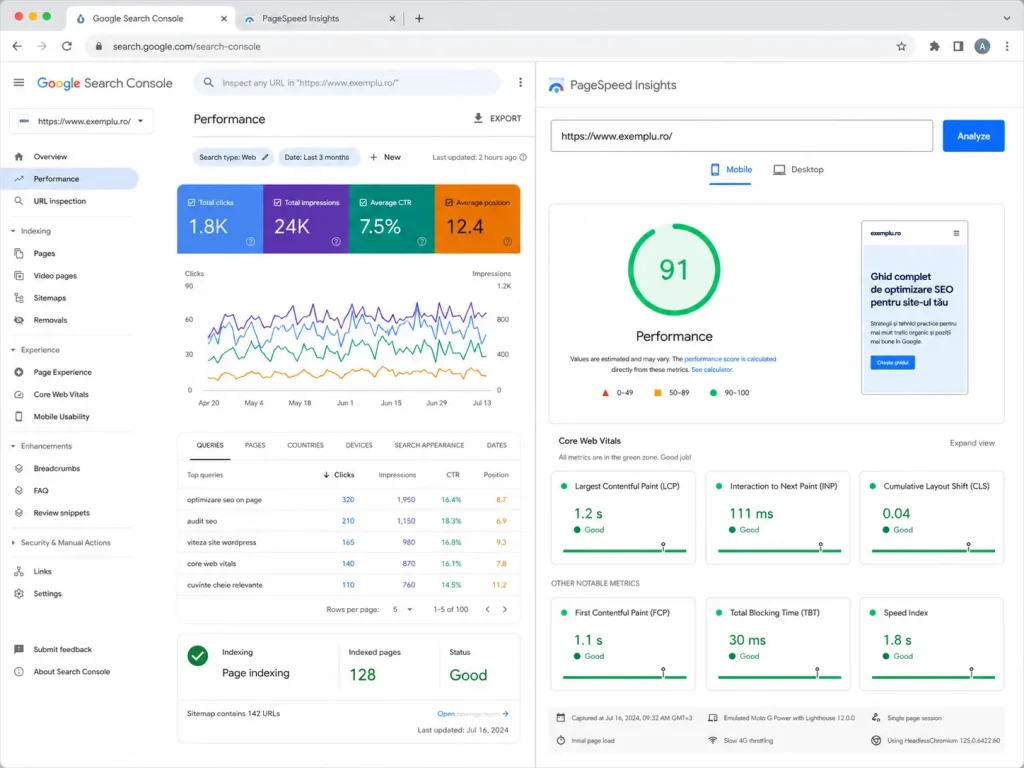
In WordPress, check for an unintended noindex setting, make sure the site's reading settings do not discourage search access, and confirm that the URL appears correctly in the sitemap. Google Search Console is useful for investigating indexing.
Sitemaps, robots.txt and canonicals
A sitemap helps search engines discover important pages. The robots.txt file controls crawler access, while a canonical tag identifies the preferred version of a page when similar URLs exist.
These details are especially relevant to WordPress sites with many posts, categories, tags or similar pages. Incorrect settings can contribute to indexing problems, duplicate content or confusion between pages targeting the same search intent.
Speed, mobile usability and Core Web Vitals
Loading speed affects user experience and can influence a page's search performance. Common WordPress problems include large images, excessive plugins, heavy themes, missing caching and unoptimized CSS or JavaScript.
Use PageSpeed Insights and Core Web Vitals reports to investigate. In practice, aim for pages that load promptly on mobile, remain easy to read and avoid elements that shift unexpectedly or take too long to respond.
If you want help coordinating technical care, security, maintenance and performance, explore Managed WordPress.
Internal links, external links and authority
Internal links connect relevant pages within a website. They help visitors find further information and show search engines which pages matter and how topics relate to one another.
A useful internal link has natural anchor text that matches the destination. An article about on-page SEO might link to a service page, a backlink guide or a WordPress maintenance resource when the surrounding explanation provides a real reason to do so.
External links to credible sources can support technical statements, particularly when discussing Google documentation, structured data or performance. Avoid unrelated destinations and sources with little reason to be trusted.
Common on-page SEO mistakes
A page may underperform because optimization is incomplete or disorganized, rather than because its subject is unhelpful. These are common problems worth checking.
| Mistake | Why it causes problems | What to do |
|---|---|---|
| Keyword stuffing | The writing becomes artificial and difficult to read | Use the topic naturally and include related language |
| An unclear or overly long H1 | The main subject is not well defined | Use a concise, clear and relevant main heading |
| Duplicate title tags | Different pages may look indistinguishable in search | Write unique titles for important pages |
| Generic meta descriptions | Readers cannot see why the page is useful | Explain the concrete value of the content |
| Missing internal links | The page is isolated within the site | Connect it with relevant articles and services |
| Duplicate content | Search engines may struggle to select the relevant page | Use appropriate canonicals and consolidate similar pages |
| Keyword cannibalization | Several pages compete for the same intent | Give each page a distinct purpose and angle |
Avoid treating optimization as a mechanical exercise. Begin with the user's intent, then work through structure, content, technical quality and the actual experience of the page.
Preparing content for AI Search and AI Overviews
AI-based search changes how information can be discovered and synthesized. Systems such as ChatGPT, Gemini, Perplexity, Copilot and AI Overviews need clear, well-organized information that can be extracted and understood.
Short definitions, direct answers, tables, lists, FAQs and appropriate structured data can make a page easier to interpret. Length alone is not enough: the article should be factual, coherent and well organized.
- Provide a concise answer after the introduction.
- Use H2 headings framed as clear topics or questions.
- Use lists and tables for comparative information.
- Write FAQ answers in two to four useful sentences where appropriate.
- Choose structured-data types that match the content, such as Article, FAQPage or BreadcrumbList.
- Avoid exaggerated or unsupported statements.
A useful page for AI Search is also useful to a person: it answers the question clearly and organizes the answer into sections that are easy to read, cite and paraphrase.
A WordPress on-page SEO checklist
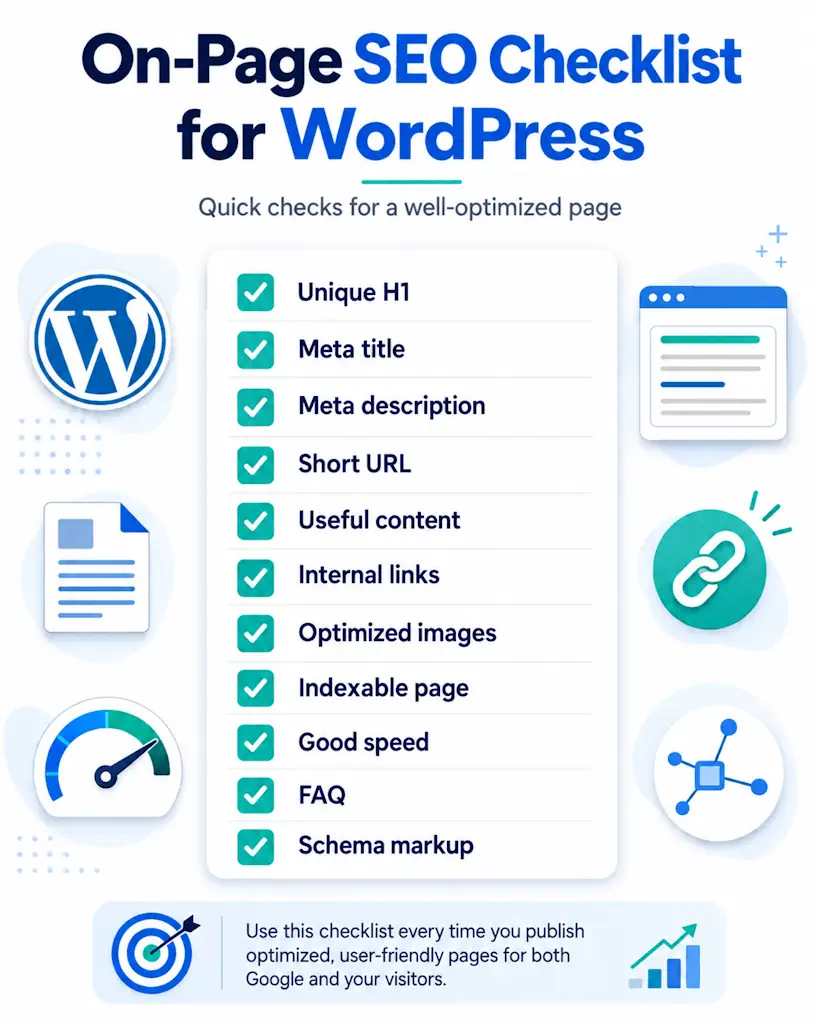
Use this checklist to review an important WordPress page:
- There is one clear, relevant H1.
- The main topic appears naturally in the introduction.
- The title tag is clear and not unnecessarily long.
- The meta description explains the page's value.
- The URL is short, descriptive and readable.
- H2 and H3 headings follow a logical structure.
- The content answers the search intent.
- Images are compressed and have descriptive alt text.
- Relevant internal links are included.
- The page is indexable and present in the sitemap.
- There is no incorrect canonical or accidental noindex.
- The page loads well on mobile.
- The FAQ answers real user questions.
- Structured data is correct and reflects visible content.
When is specialist help useful?
Many basic changes can be made directly in WordPress, particularly with a suitable SEO plugin. An audit becomes useful when important pages are not progressing, content is not indexed, traffic falls, technical problems persist or multiple articles compete for the same intent.
A meaningful audit should go beyond plugin scores. It should examine intent, structure, content, indexing, internal links and real page performance. That gives you a clearer basis for deciding which changes deserve attention first.
Frequently asked questions about on-page SEO
What is on-page SEO optimization?
It is the process of improving a page so that it is clearer for Google and more useful to visitors. It includes content, titles, descriptions, URLs, internal links, images, speed and indexing.
How does on-page SEO differ from off-page SEO?
On-page SEO covers improvements inside the site, including content, headings, metadata and internal links. Off-page SEO covers external signals such as backlinks and brand mentions.
Where should the main keyword appear?
Use it naturally in the H1, introduction, title tag, URL, relevant headings and body copy. Do not force repetition, because keyword stuffing can reduce the quality of the content.
What does the meta description do?
It summarizes the page and can influence whether someone selects the result. A useful description is clear, relevant and explains what the reader gains by opening the page.
How do internal links help SEO?
They connect relevant pages, help visitors navigate and give search engines context about the site's structure. Used naturally, they can reinforce the relationships between related topics.
What is keyword cannibalization?
It occurs when several pages on the same website compete for the same search intent. Instead of strengthening the topic together, they may make it harder to identify the most relevant page.
How do you optimize a page for AI Search?
Use clear answers, logical headings, concise definitions, visible FAQs, tables, lists and accurate structured data. The content should be factual, easy to extract and useful for conversational questions.
Conclusion
On-page SEO is the foundation of a page that aims to be understood correctly by Google, useful to readers and easier for AI systems to interpret. It combines good content, clear structure, relevant metadata, clean URLs, internal links, optimized images, performance, mobile usability, indexing and structured data.
If you are unsure what is limiting a WordPress site's organic growth, start with an on-page review. Work through the checklist above and identify where a more detailed examination is needed. A coordinated approach to WordPress SEO implementation can connect those findings with ongoing improvements.