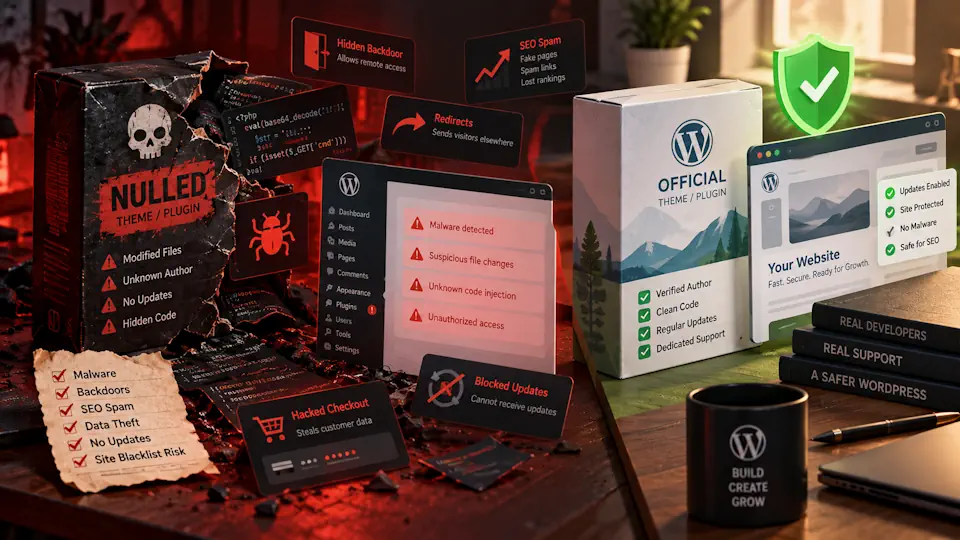
“Nulled” WordPress themes and plugins are premium products that have been modified and redistributed outside the original developer’s normal licensing and update channels. They are often presented as a cheap or free way to unlock premium functionality, but for a production WordPress site they introduce a level of uncertainty that is difficult to justify.
The biggest concern is not simply licensing. It is trust. When you install a modified plugin or theme from an unknown source, you are executing third-party PHP code with broad access to your WordPress installation, database, files and, in some environments, other websites hosted under the same account.
This guide explains what nulled WordPress themes and plugins are, why they create security and maintenance risks, how they can affect SEO and WooCommerce sites, what to do if you discover one on an existing website, and why genuine software is a better fit for a managed WordPress environment.
What are nulled WordPress themes and plugins?
A nulled plugin or theme is usually a modified copy of a paid WordPress product that has been altered to bypass licensing checks, activation requirements or access restrictions. The modified package is then redistributed through third-party download sites, forums, file-sharing services or unofficial marketplaces.
Depending on the package, the changes may be limited to licensing code, but they may also include:
- Hidden PHP backdoors.
- Obfuscated code.
- Malicious JavaScript.
- Spam or redirect code.
- Unauthorized administrator creation.
- Remote command execution mechanisms.
- Modified update behavior.
The critical problem is that you normally cannot verify what was changed between the original vendor release and the copy you downloaded.
Why nulled software is especially risky in WordPress
WordPress themes and plugins execute directly inside the application. A plugin can interact with the database, users, files, scheduled tasks, APIs and administrative actions. A theme can also execute PHP and interact with WordPress hooks.
That means installing an untrusted package is fundamentally different from downloading a static design asset. You are granting executable code access to a live application.
Security researchers have repeatedly documented malware campaigns distributed through pirated or counterfeit WordPress packages. Wordfence has described nulled plugins and themes as a recurring source of backdoors, SEO spam, redirects, stolen information and persistent access, while Patchstack has similarly warned that modified premium packages can include malicious code and lose access to legitimate update channels.
The main risks of nulled WordPress plugins and themes
| Risk | What can happen | Why it matters |
|---|---|---|
| Malware and backdoors | Modified PHP or JavaScript can create persistent access | An attacker may regain control even after visible symptoms are removed |
| No trusted updates | You may miss security and compatibility fixes | Known vulnerabilities can remain exposed |
| SEO spam | Hidden pages, links or injected content may appear | Search visibility and reputation can be damaged |
| Redirects and malvertising | Visitors may be sent to unwanted external sites | User trust and conversions can suffer |
| Credential theft | Admin, customer or API credentials may be intercepted | Compromise can spread beyond WordPress |
| No vendor support | The original developer may not support modified copies | Troubleshooting becomes harder and slower |
| Broken premium features | Cloud or SaaS features may not function without a valid license | You may receive a false impression that the product is fully activated |
Nulled does not automatically mean every file is infected
It is important to be precise. Not every redistributed or nulled package necessarily contains malware. Some are modified primarily to bypass licensing checks.
That does not make them a good operational choice.
The real issue is that the chain of trust is broken. You no longer know whether the package matches the vendor’s release, whether additional code was added, whether the update mechanism still works correctly or whether future packages from the same source will remain unchanged.
For a hobby site, some people may accept that uncertainty. For a business, ecommerce or managed WordPress site, it is a poor security tradeoff.
Why “it scans clean” is not enough
A common argument is that a nulled plugin or theme was scanned by antivirus software and nothing was detected.
That is not a reliable guarantee.
Malicious code can be:
- Obfuscated.
- Activated only under specific conditions.
- Downloaded later from a remote server.
- Triggered after an administrator action.
- Hidden in a dependency or update mechanism.
- Designed to avoid common malware signatures.
A clean scan reduces uncertainty slightly, but it does not restore the original vendor’s supply chain or prove the package is trustworthy.
The update problem is as important as the malware problem
Even when a nulled package contains no obvious malicious code, losing legitimate updates can create a second security problem.
WordPress plugins and themes are updated for:
- Security vulnerabilities.
- WordPress compatibility.
- PHP compatibility.
- WooCommerce compatibility.
- Bug fixes.
- Performance improvements.
- API changes.
A package that is frozen at an older version may become vulnerable later when a security issue is disclosed publicly.
For managed WordPress, timely updates are part of the operating model. Using software that cannot participate reliably in that update process undermines the service from the start.
Nulled premium security plugins can create a false sense of protection
Security plugins deserve special attention because many of their premium features depend on remote services.
A modified interface can make a plugin appear to be “Premium” even when the site has no valid license and no access to the vendor’s real-time cloud services, premium rules, signatures or blocklists.
This is worse than simply running the free edition because the site owner may believe protection is active when it is not.
If you need a security plugin, use the official free version or a legitimate paid license. A genuine free product with clear limitations is preferable to a counterfeit “premium” package with unknown behavior.
How nulled themes and plugins can affect SEO
Nulled software is particularly dangerous for SEO because some malware campaigns monetize compromised sites by injecting content and links rather than immediately destroying the site.
Possible symptoms include:
- Spam pages appearing in Google.
- Hidden outbound links.
- Pharmaceutical, gambling or adult-content keywords.
- Search-engine-specific redirects.
- Japanese keyword spam.
- Doorway pages generated in the background.
- Canonical tags or sitemap manipulation.
The site may look normal to the administrator while search engines or selected visitors receive different content.
This makes nulled software directly relevant to a managed SEO and WordPress service: technical SEO work is wasted if the application supply chain itself cannot be trusted.
The risk is higher on WooCommerce sites
WooCommerce stores contain more valuable data and more business-critical workflows than a simple brochure site.
A compromised plugin or theme can potentially expose:
- Customer information.
- Order data.
- Administrative sessions.
- API keys.
- Payment integration configuration.
- Email infrastructure.
- Checkout behavior.
Even when payment card data is handled by an external gateway, malicious JavaScript injected into checkout pages can still create serious risk.
For ecommerce, the small saving from avoiding a plugin license is difficult to justify against the potential cost of remediation, downtime and lost trust.
Nulled themes can be just as dangerous as nulled plugins
Sometimes themes are treated as “just design,” but WordPress themes contain executable PHP and can use hooks, AJAX handlers, custom post types, shortcodes and bundled libraries.
A malicious theme can therefore:
- Load remote code.
- Create hidden users.
- Inject links or scripts.
- Modify templates conditionally.
- Hide persistence mechanisms in theme files.
Do not treat themes as lower-risk simply because their primary purpose is presentation.
Can a nulled plugin infect other sites on the same hosting account?
Potentially, yes.
The exact risk depends on server isolation and file permissions. On poorly isolated shared environments, compromised PHP code may be able to access other applications under the same hosting account.
This is one reason a managed WordPress architecture should avoid placing unrelated client sites inside a single writable environment whenever practical.
If one site contains an untrusted plugin, the incident should be treated as an infrastructure concern, not only a single-page problem.
Why “GPL” does not automatically make an unofficial package safe
WordPress and much of its ecosystem use the GPL. The licensing discussion around redistribution can become complex, but security is a separate question.
A package can be legally redistributable in some circumstances and still be operationally unsafe because:
- You do not know who modified it.
- You cannot verify the build process.
- Vendor support may not apply.
- Cloud-connected premium functionality may require a license.
- The package may no longer match the upstream release.
The safest approach for production WordPress is to obtain software directly from WordPress.org, the original developer or a reputable marketplace where the supply chain is clear.
What if an agency or developer installed nulled software on your site?
This situation is more common than many site owners realize. A client may inherit a website that contains premium plugins without knowing who owns the licenses.
Check the installation for:
- Premium plugins with no connected vendor account.
- License screens showing unusual activation messages.
- Plugins renamed from their official package.
- Updates that repeatedly fail.
- Files downloaded from unofficial repositories.
- “Lifetime” licenses sold by unrelated third parties.
If the developer cannot provide the license source, assume the software needs review.
What to do if you discover a nulled plugin or theme
Do not simply delete it and assume the problem is solved. If the package was malicious, persistence may already exist elsewhere.
A safer response is:
- Take a backup or forensic copy before making major changes, if appropriate.
- Put the site into a controlled maintenance state if compromise is suspected.
- Identify all untrusted themes and plugins.
- Replace them with clean copies from the original vendor or WordPress.org.
- Update WordPress core, themes and plugins.
- Scan the full filesystem and database for malware and unexpected changes.
- Review administrator accounts and remove unknown users.
- Rotate WordPress, hosting, SFTP, database and API credentials as appropriate.
- Regenerate WordPress security salts if compromise is suspected.
- Review scheduled tasks, must-use plugins and unexpected PHP files.
- Inspect SEO symptoms, redirects and indexed spam pages.
- Monitor the site after cleanup for reinfection.
If the site handles ecommerce or customer data, incident response may also require a broader review of logs, affected data and legal or contractual obligations.
Do not forget must-use plugins and hidden persistence
When investigating a compromised WordPress site, administrators often look only in wp-content/plugins and the active theme.
Also inspect:
wp-content/mu-plugins.wp-content/uploadsfor unexpected PHP files.- WordPress root files.
- Modified core files.
- Scheduled tasks and cron events.
- Unknown administrator accounts.
- Database options that load injected scripts.
A backdoor can survive after the original nulled plugin is removed.
How to replace a nulled plugin safely
Replacing a modified plugin is usually better than overwriting files blindly.
A practical process is:
- Record the plugin settings and configuration you need to preserve.
- Download a genuine current version from the official source.
- Compare compatibility requirements.
- Remove the untrusted package.
- Install the clean version.
- Reconnect the legitimate license if required.
- Test the site thoroughly.
- Run another security scan after replacement.
Do not copy unknown PHP files from the nulled package into the clean installation simply to preserve customizations.
What if the premium plugin is too expensive?
The safest alternative is not a nulled copy. Consider:
- The official free edition.
- A reputable free alternative from WordPress.org.
- A lower-cost competing plugin.
- A smaller feature set.
- Custom development for the one feature you actually need.
- A host or managed service that already includes equivalent functionality.
Many sites accumulate premium plugins that are not essential. Removing unnecessary software can reduce both cost and attack surface.
Why genuine licenses matter in Managed WordPress
A managed WordPress service depends on repeatability and accountability. The operator needs to know:
- Where software came from.
- Who maintains it.
- How updates are delivered.
- Which license covers the installation.
- How security fixes are received.
- What support channel is available when something breaks.
Nulled software breaks that chain.
For managed WordPress, a better policy is simple: use WordPress.org packages, verified vendor downloads and legitimate licenses only. This makes automated updates, security monitoring and incident response much more predictable.
A practical software policy for WordPress sites
| Source | Recommended? | Notes |
|---|---|---|
| WordPress.org repository | Yes | Appropriate for free themes and plugins; still review maintenance and reputation |
| Original developer website | Yes | Preferred source for premium products |
| Established marketplace | Usually | Verify the seller and update mechanism |
| Unknown “premium free” download site | No | Supply chain cannot be trusted |
| Forums, Telegram groups or random file shares | No | High uncertainty and no reliable update path |
| Agency-provided plugin with no license information | Review required | Confirm provenance before relying on it |
How this fits into a broader WordPress security strategy
Avoiding nulled software is only one security control, but it is an important one because it protects the software supply chain.
Combine it with:
- Regular WordPress, plugin and theme updates.
- Strong administrator passwords.
- Two-factor authentication.
- Login rate limiting.
- File integrity monitoring.
- Reliable backups stored outside the web root.
- Least-privilege user access.
- Server isolation and secure hosting.
- Malware scanning and ongoing monitoring.
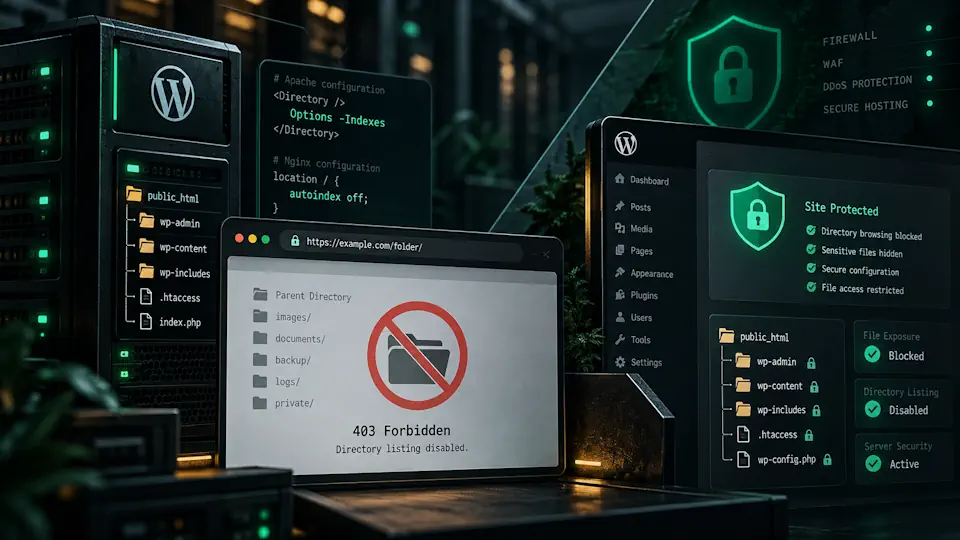
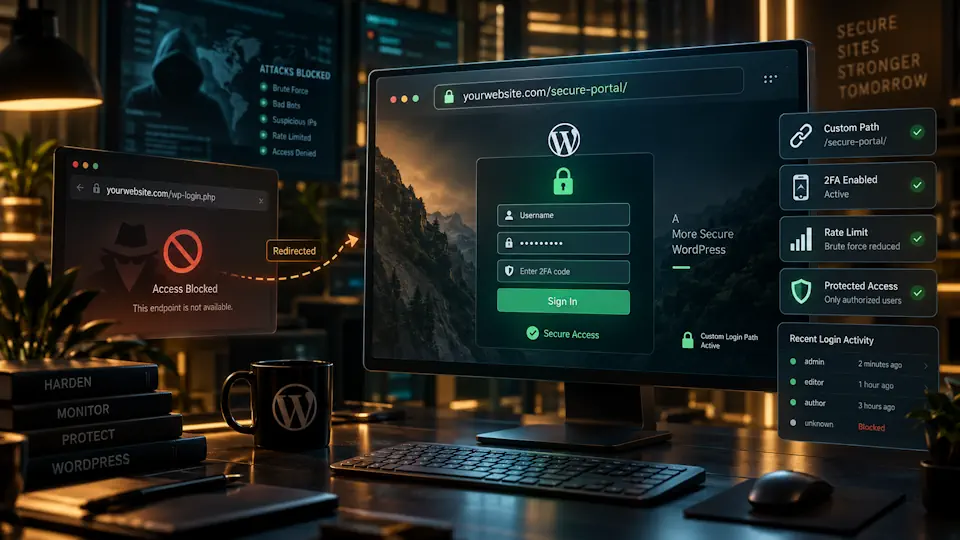
You can also reduce unnecessary exposure with measures such as disabling directory browsing in WordPress and strengthening authentication around your WordPress login URL.
Frequently asked questions about nulled WordPress themes and plugins
What does “nulled” mean in WordPress?
It usually means a premium theme or plugin has been modified by a third party to bypass licensing or activation restrictions and then redistributed outside the original vendor’s normal channel.
Are all nulled WordPress plugins infected?
No. Not every nulled package necessarily contains malware. The problem is that the package has an untrusted supply chain and may have been modified in ways you cannot verify.
Can nulled plugins contain backdoors?
Yes. Security researchers have documented nulled and counterfeit plugins containing backdoors, malicious redirects, spam injection and other forms of malware.
Why are updates important if the plugin already works?
Security vulnerabilities can be discovered after installation. A plugin that works today may become unsafe later if you cannot receive the vendor’s patched version.
Can a nulled theme hurt SEO?
Yes. Malicious themes or plugins can inject spam pages, hidden links, redirects or cloaked content, all of which can damage search visibility and reputation.
Is it safe to use a nulled plugin on a staging site?
It is still risky. Staging environments often contain production data, credentials or network access. If you need to test premium software, use an official trial, demo or legitimate license instead.
What should I do if my developer installed nulled plugins?
Identify every affected package, replace it with a clean official copy, review licenses, scan the site for compromise and change credentials if there is any possibility that malicious code executed.
Are cheap “lifetime licenses” always nulled?
Not always, but they should be verified carefully. If the seller is unrelated to the original developer and cannot provide a legitimate license relationship or update path, treat the package as untrusted.
Conclusion
Nulled WordPress themes and plugins may appear to reduce software costs, but they exchange a predictable license cost for an unpredictable security and maintenance risk.
The biggest issue is not that every nulled package is automatically malicious. It is that you lose confidence in the package’s provenance, updates, code integrity and support path.
For business websites, WooCommerce stores and managed WordPress environments, that uncertainty is unnecessary. Use genuine WordPress.org packages, official vendor downloads and legitimate licenses, keep them updated and treat the software supply chain as part of your security model.
A strong managed WordPress stack is built on software you can identify, update, monitor and trust.